 App Stream Watch Movies, Sports, and TV
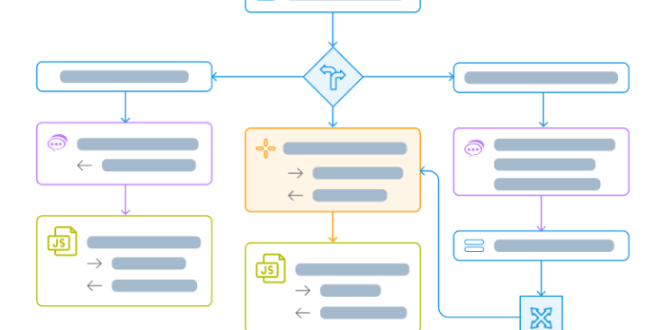
Many business tasks still rely on repetitive manual actions. Employees copy data between systems, send approval emails, update spreadsheets, and follow the same processes every day.
Over time, those small tasks quietly waste hundreds of working hours.
This is where business process automation becomes valuable. Instead of depending entirely on manual effort, automation software handles predictable workflows automatically based on triggers, rules, and predefined actions.
The impact can be significant:
- Faster task completion
- Reduced human error
- Better operational consistency
- Improved collaboration between departments
- More time for strategic work
Automation does not replace employees entirely. In most cases, it removes repetitive tasks so teams can focus on higher-value responsibilities.
Essential Features in Workflow Automation Software
Not every platform works the same way. Some are designed for simple no-code automations, while others support complex enterprise-level workflows.
The best option depends on how your organization handles daily operations.
No-Code Workflow Builder
Beginners often prefer platforms with drag-and-drop builders because they simplify automation setup without requiring programming skills.
A good workflow management software platform should allow users to create automations visually instead of writing complicated code.
Common automated workflows include:
- Employee onboarding
- Invoice approvals
- Lead assignment
- Email notifications
- Task creation
- Data synchronization
Simple setup encourages broader adoption across teams.
Integration With Existing Tools
Automation becomes far more useful when connected to other business systems.
Reliable platforms typically integrate with:
- CRM software
- Project management tools
- Email platforms
- Cloud storage systems
- Accounting software
- Communication apps
Without integrations, businesses often create disconnected workflows that still require manual intervention.
Approval and Task Routing
Many business processes involve multiple decision points.
Workflow automation software helps route approvals, assign responsibilities, and notify the correct people automatically. This prevents delays caused by forgotten emails or unclear ownership.
For larger organizations, this structure improves accountability significantly.
Analytics and Monitoring
Automation should improve performance, not create hidden bottlenecks.
Good platforms provide reporting tools that track workflow completion times, failure points, and operational efficiency. These insights help businesses optimize processes continuously instead of relying on assumptions.
Popular Workflow Automation Platforms
Several tools consistently stand out because they balance usability, scalability, and flexibility.
Zapier
Zapier is widely known for its beginner-friendly automation system. It connects thousands of apps and works well for businesses seeking fast setup with minimal technical knowledge.
Monday.com
Although often recognized as a project management platform, Monday.com also includes strong workflow automation features for team collaboration and operational tracking.
Asana
Asana combines task management with automation tools that help teams organize projects, assign responsibilities, and reduce repetitive administrative work.
Microsoft Power Automate
Businesses already using Microsoft products often choose Power Automate because it integrates deeply with Microsoft 365 and enterprise workflows.
Common Mistakes Businesses Make
One major mistake is trying to automate broken processes.
If a workflow is confusing or inefficient manually, automation usually amplifies those problems instead of fixing them.
Another issue is excessive automation. Some businesses automate every small action without considering employee experience or flexibility. Over-automation can create rigid systems that frustrate teams.
Poor planning also causes problems. Automations should be tested carefully before deployment because errors can spread quickly across connected systems.
How to Choose the Right Platform
The best workflow automation software should simplify operations instead of adding unnecessary complexity.
Before selecting a platform, consider:
- Technical skill level of the team
- Required integrations
- Process complexity
- Budget limitations
- Scalability needs
- Security requirements
Beginners often benefit from no-code platforms with simple templates and guided setup. Professionals usually prioritize customization, enterprise integrations, and advanced workflow controls.
Free trials are especially useful because real-world testing reveals usability issues quickly.
Strong automation systems do more than save time. They reduce operational friction, improve consistency, and help businesses scale without overwhelming employees with repetitive tasks. When automation supports people instead of complicating their work, productivity improves naturally across the entire organization.
